The Diagnostic Snapshot
Start with:
The vehicles you work on, the repairs you perform, how often calibration comes up and how much room your techs actually have to work.
Portable equipment can be a strong fit for:
Auto glass businesses, smaller mechanical shops, lower-volume collision centers, mobile calibration businesses and shops where the same bay needs to handle more than ADAS work.
Dedicated systems can be a strong fit for:
Higher-volume shops performing calibrations often enough that repeated setup and teardown start getting in the way.
What the tech should know:
Vehicle positioning, target setup, floor space, diagnostic compatibility and target storage can make a big difference in how smoothly the calibration goes.
Bottom line:
The biggest ADAS system isn’t automatically the right one. The equipment needs to fit the vehicles you see, the work you perform and the way your shop actually operates.
ADAS calibration is showing up in more repair workflows, which leads to a pretty practical question:
What equipment do you actually need?
There’s no one-size-fits-all answer.
A glass shop replacing windshields has different needs than a collision center dealing with sensors around the entire vehicle. And a mechanical shop sharing a bay between alignment, suspension and general repair probably doesn’t want a calibration frame permanently taking up half the space.
Before you start comparing frames and target packages, look at the work already coming through the door:
What vehicles do you see?
- What repairs are your techs performing?
- How often does that work lead to calibration?
- What calibration work are you currently sending out?
- How much space do you actually have?
Those answers should drive the equipment decision.
Portable vs. Dedicated ADAS Calibration Equipment
One of the biggest considerations is pretty simple:
Space.
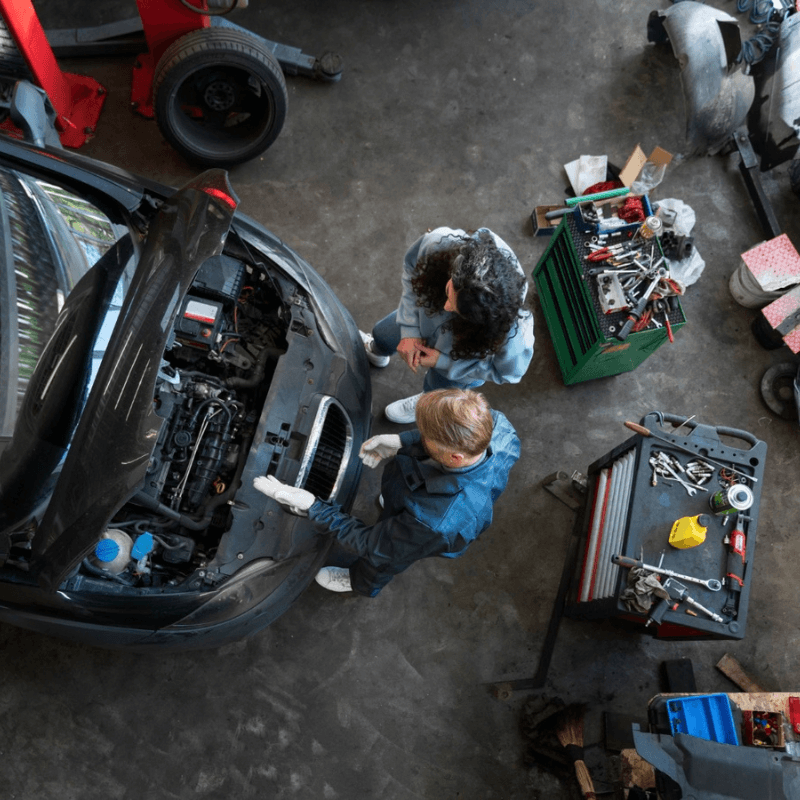
Portable calibration equipment can be set up when the job calls for it and moved when the calibration is finished.
That’s useful if the same bay needs to go back to brakes, suspension, alignment or general repair later in the day.
Portable systems can make sense for:
- Auto glass shops
- Smaller mechanical shops
- Lower-volume collision centers
- Mobile calibration businesses
- Shops with limited floor space
- Locations where calibration isn’t happening all day
For the tech, portability also means the equipment needs to be practical to move, position and set back up accurately.
That’s the important part. Portable doesn’t mean approximate.
The same OEM setup and positioning requirements still apply.
When Does a Dedicated Setup Make More Sense?
As calibration volume increases, moving equipment in and out can become a headache of its own.
A dedicated calibration area can give the shop better control over:
- Equipment position
- Floor conditions
- Lighting
- Target storage
- Vehicle positioning
- Calibration workflow
It also gives the technician a more repeatable workspace.
Instead of rebuilding the calibration area every time another vehicle comes in, much of the setup is already where it needs to be.
That can be a better fit for higher-volume mechanical shops, collision centers, calibration businesses and centralized MSO locations.
Don’t Forget the Alignment Side of ADAS
Alignment and ADAS are separate procedures, but they often cross paths.
ADAS systems depend on the vehicle’s relationship to the road, so steering and suspension geometry can matter before calibration begins.
If your shop regularly handles:
- Alignments
- Steering repairs
- Suspension work
- Wheel bearings and hubs
- Ride-height changes
- Collision-related mechanical repairs
It’s worth looking at how often those jobs lead into an ADAS procedure.
That doesn’t mean every alignment suddenly needs a calibration.
It means the tech needs to know when to check the OEM procedure and whether the shop has the equipment to handle what comes next.
An alignment-capable lift can also help keep the workflow connected. Depending on the repair, the tech may be able to inspect suspension, make repairs, establish alignment and prepare the vehicle for calibration without moving it all over the shop.
What Does the Tech Actually Need to Work With?
The calibration frame is only part of the setup.
Before choosing equipment, look at the entire process the technician will be working through.
Vehicle Positioning
How does the system establish the vehicle’s position?
Depending on the equipment, that may involve:
- Mechanical measurements
- Lasers
- Wheel-mounted references
- Alignment information
- Other positioning technology
The easier that process is to repeat accurately, the easier it is for different technicians to follow the same workflow.
Targets and Fixtures
Different vehicles and systems can require different:
- Camera targets
- Radar reflectors
- Blind-spot fixtures
- Surround-view targets
- Calibration mats
Broader target coverage can be useful, but only if it matches the vehicles you’re actually servicing.
Having a wall full of targets you never use isn’t much of a win.
Diagnostic Compatibility
The diagnostic platform and calibration equipment need to support the vehicles and procedures you’re trying to perform.
Check:
- Vehicle coverage
- Software requirements
- Required subscriptions
- Calibration functions
- Equipment compatibility
Finding out the scan tool doesn’t support the procedure after you’ve already set up the frame is not the ideal time to discover a coverage gap.
Target Storage and Workspace
Targets have to go somewhere.
So does the frame.
Look at how the equipment will be stored, moved and accessed without turning the calibration area into an obstacle course.
The person actually using the system every day will notice these details pretty quickly.
How Much ADAS Equipment Do You Really Need?

Start with your actual workload rather than the longest equipment list.
Occasional Calibration Work
If ADAS comes up occasionally, prioritize:
- Portability
- Coverage for common vehicles
- Reasonable floor-space requirements
- Compatible diagnostics
- Expandability
- Easy target storage
You don’t necessarily need every available accessory on day one.
Regular Calibration Work
Once calibrations are happening several times a week or multiple times a day, technician workflow becomes more important.
Look at:
- Faster positioning
- Easier setup
- Broader target coverage
- Camera and radar capability
- Alignment integration
- Better target organization
- Repeatable documentation
A few extra setup steps aren’t a big deal once.
Doing them several times every day is another story.
High-Volume Calibration Work
For shops performing calibrations throughout the day, a dedicated setup may make more sense.
At that point, focus on:
- Repeatable vehicle positioning
- Organized target management
- Broad sensor coverage
- Alignment integration
- Documentation
- Consistent technician workflow
The question becomes less about whether the system can perform the calibration and more about how easily the tech can perform it again on the next vehicle.
Match the Equipment to the Work You Do
Different shops are going to prioritize different things.
Auto Glass:
Forward-camera coverage and portability may matter most, especially if windshield work happens at multiple locations.
Collision:
Look beyond forward cameras. Collision damage can involve radar, blind-spot systems, surround-view cameras, parking sensors, steering and alignment.
Mechanical and Alignment:
Pay attention to how steering, suspension and alignment work intersects with ADAS procedures on the vehicles already in your bays.
Multi-Location Shops and MSOs:
Every location may not need the exact same setup. A higher-volume location can sometimes serve as an ADAS hub while other stores maintain more focused capabilities.
The equipment should follow the work.
Not the other way around.
What Should You Look at Before Choosing an ADAS System?
Before you buy anything, look at:
- The makes and models you service most
- Your existing diagnostic equipment
- Required software or subscriptions
- The calibration work you’re currently sending out
- Available floor space
- How often the equipment will be used
- Target requirements
- Camera and radar coverage
- Alignment integration
- How the equipment is positioned
- Target and equipment storage
- How easy the process is for your technicians to repeat
A bigger feature list doesn’t automatically make a system a better fit.
The right equipment is the equipment your team can actually use for the vehicles and work coming through the shop.
Start With the Work, Then Choose the Equipment
It’s easy to get buried in ADAS specs, target packages and equipment options.
Keep the starting point simple.
Look at the vehicles you’re already working on and the calibration procedures those repairs are creating.
Then match the equipment to:
- Your vehicle coverage
- Technician workflow
- Available space
- Diagnostic platform
- Calibration volume
That gives you a much better place to start than simply choosing the system with the most equipment attached to it.
Not sure which ADAS setup fits the vehicles coming through your shop? Agile Truck & Auto Tools can help you compare the options and narrow down what makes sense for the work your team actually performs.
ADAS Calibration Equipment FAQs
No.
EV and hybrid equipment should follow actual demand and the work your shop intends to perform.
High-voltage service also requires appropriate PPE, procedures and training.
Programming, software updates, calibration and extended diagnostics can require stable voltage for long periods.
Battery support helps reduce the chance of a procedure failing because voltage dropped.
If you regularly replace modules or send programming work elsewhere, it may be worth looking at J2534 and OEM software access.
No.
If your repair mix regularly creates calibration demand, bringing supported procedures in-house may be worth evaluating.
If not, outsourcing can still make sense.
Most shops should have professional diagnostic equipment, reliable battery support, dependable shop computers, electrical testing capability and access to current diagnostic and repair software.
Specialty equipment depends on the vehicles and services the shop handles.
Coverage depends on the target, diagnostic equipment, vehicle and specific procedure. The current full system includes targets supporting several manufacturers, with additional target options available for some applications.
Its lightweight, foldable design makes it well suited to mobile and space-conscious workflows. The calibration location still needs to meet the applicable OEM requirements for the procedure.
The current full-system configuration includes 19 metal targets and four magnetic targets. Exact configurations can vary, so confirm what’s included before purchasing.
No.
QuickCal provides the physical calibration frame, positioning hardware and targets. Vehicle communication and software-driven calibration functions require a compatible diagnostic platform with the necessary ADAS capability.
The QuickCal 5.0 is designed for setup in under 60 seconds. Correct positioning still depends on following the applicable OEM procedure.
The system weighs approximately 47 pounds and uses a foldable design intended to make transportation and storage more practical.
The QuickCal 5.0 is a portable physical ADAS calibration frame used for supported static calibration procedures. It combines a lightweight stand, integrated laser positioning and physical ADAS targets.
CarCal equipment is available through Agile Truck and Auto Tools. Agile can help configure the equipment with compatible diagnostic software, targets, training, and ongoing support.
CarCal is primarily positioned around supported camera calibration workflows. Radar, surround-view, night vision, and other sensor procedures may require additional equipment. Confirm the intended vehicle coverage and calibration types with Agile before buying.
Many vehicles use a forward-facing camera mounted near the windshield. When windshield replacement affects that camera or the OEM procedure requires recalibration, the shop needs a reliable way to complete or outsource the procedure before returning the vehicle.
CarCal is designed to work independently from a single tablet brand, but the diagnostic software must support the vehicle and required calibration procedure. The correct targets and equipment configuration must also be available. Agile can help verify compatibility before purchase.
CarCal is designed to reduce physical setup time, but the total procedure time varies by vehicle, diagnostic software, required measurements, environmental conditions, pre-scan results, and OEM instructions.
The CarCal Quick Cal 5.0 is a portable target positioning system used for supported ADAS camera calibrations. Its collapsible design helps shops and mobile technicians set up, transport, and store the equipment more easily than a large fixed calibration frame.
CarCal is a brand that designs portable ADAS calibration equipment to support accurate target positioning for applicable camera recalibration procedures. It is commonly used by auto glass shops, collision centers, mobile calibration technicians, and independent repair facilities.